.png)
.avif)
.avif)


Remote work is no longer optional. It is infrastructure.
According to Gallup (2024), 60% of remote-capable employees prefer hybrid or fully remote work. Meanwhile, a McKinsey report shows employees spend nearly 20% of their time searching for information internally.
That’s one full workday every week.
The real problem in 2026 is not remote work.
The real problem is poor team collaboration tools.
When teams lack proper team collaboration tools:
- Messages get buried in email threads
- Tasks are duplicated or forgotten
- Deadlines slip
- Knowledge lives in someone’s head instead of a shared system
Without structured team collaboration tools, remote teams do not fail because of talent. They fail because of disorganization.
This is why choosing the right team collaboration tools is no longer about convenience. It’s about survival, speed, and clarity.
Why do you need collaboration tools for efficiency in remote work?
Remote work needs structure. Without proper collaboration tools, teams waste time, miss context, and duplicate work.
Studies show employees spend nearly 20% of their week searching for information. That happens when communication, tasks, and files are scattered across emails and disconnected apps.
Good collaboration tools:
- Centralize communication
- Clarify task ownership
- Reduce context switching
- Preserve team knowledge
- Increase accountability
In short, collaboration tools turn remote work from chaotic to efficient. Without them, productivity drops. With them, teams move faster and smarter.
Let’s explore the 20 best team collaboration tools for modern remote teams - starting with one built specifically to reduce tool chaos.
1. Tixio - All Feature Team Collaboration Tool

Modern teams suffer from tool overload. Slack for chat. Trello for tasks. Google Drive for files. Notion for notes. Zoom for meetings.
Context switching reduces productivity by up to 40% (University of California study).
Tixio solves this by combining essential team collaboration tools into one structured workspace.
Why Tixio stands out among team collaboration tools:
- Task boards with clear ownership
- Built-in knowledge hub
- Whiteboard for brainstorming
- Chat and discussions inside work context
- Centralized dashboards
Instead of spreading work across five different team collaboration tools, teams operate inside one shared digital workspace.
Key Features:
- Intuitive task boards for project tracking.
- Knowledge hub for teams
- Organizer dashboard with bookmarks, checklists and more!
- Whiteboard for brainstorming
- A fun, user-friendly interface designed for remote teams.
- Best For: Teams who are looking for a one-stop solution to manage documents, projects, tasks, ideas and knowledge, but also seeking affordability.
Best for: Growing teams that want structured collaboration without paying enterprise pricing.
2. Trello - For Visual Collaboration

Trello uses Kanban boards to simplify project tracking. It is one of the easiest collaboration tools to adopt.
Key Benefits:
- Drag-and-drop task cards
- Custom workflows
- Visual progress tracking
Best for: Small teams or simple project workflows.
3. Slack -Communication Focused Collaboration Tool

Slack is one of the most popular communication collaboration tools globally. It replaces internal emails with real-time messaging organized by channels.
However, Slack alone is not enough. It works best when paired with project management collaboration tools.
Key Benefits:
- Organized channels
- Threaded discussions
- App integrations
- Voice and video calls
Best for: Communication-heavy teams.
4. Asana - Structured Project Team Collaboration Tool

Asana is built for structured project execution. It provides timelines, dependencies, and workload management.
Key Benefits:
- Timeline view
- Task dependencies
- Project milestones
- Reporting dashboards
Best for: Mid-to-large teams managing complex projects.
5. Zoom– Video Collaboration Tool

Remote teams rely on video meetings. Zoom remains a dominant collaboration tool for virtual communication.
Key Benefits:
- HD video calls
- Breakout rooms
- Meeting recording
Best for: Distributed teams needing reliable virtual meetings.
6. Notion - For Document Based Team Collaboration

Notion blends documentation, project management, and databases into one flexible collaboration tool.
Key Benefits:
- Custom databases
- Collaborative docs
- Knowledge management
Best for: Teams that prefer customization.
7. ClickUp - Custom Team Collaboration Tool

ClickUp markets itself as an all-in-one collaboration tool. It includes tasks, docs, goals, automation, and time tracking.
Key Benefits:
- Multiple task views
- Built-in docs
- Automation
- Goal tracking
Best for: Teams that want customization and depth.
8. Microsoft Teams – Enterprise Team Collaboration Tool
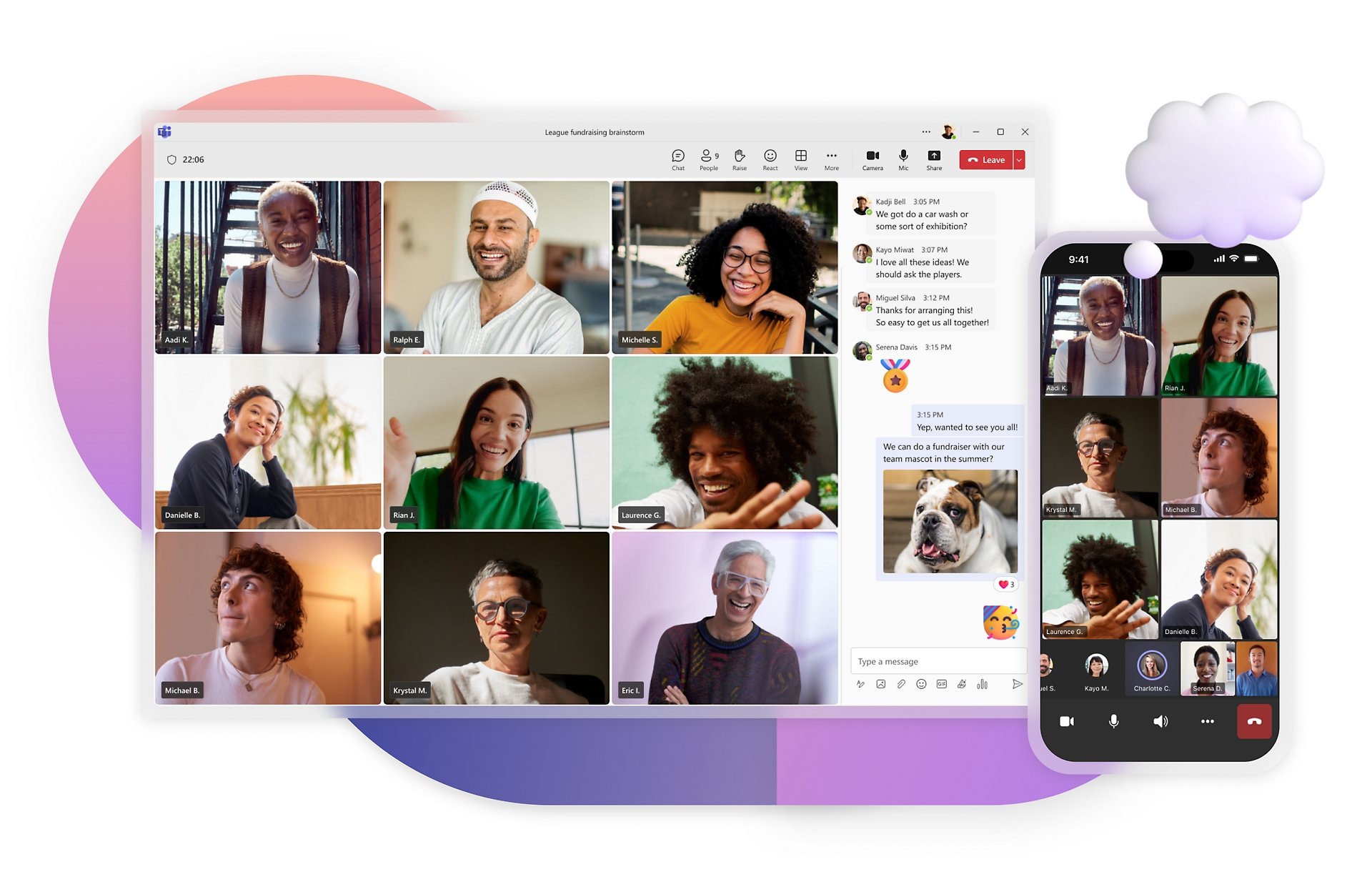
Widely used in enterprise environments, Microsoft Teams integrates tightly with Microsoft 365.
Key Benefits:
- Channel-based communication
- Office document collaboration
- Enterprise security
Best for: Corporations already using Microsoft ecosystem.
9. Basecamp – Simplified Team Collaboration Too
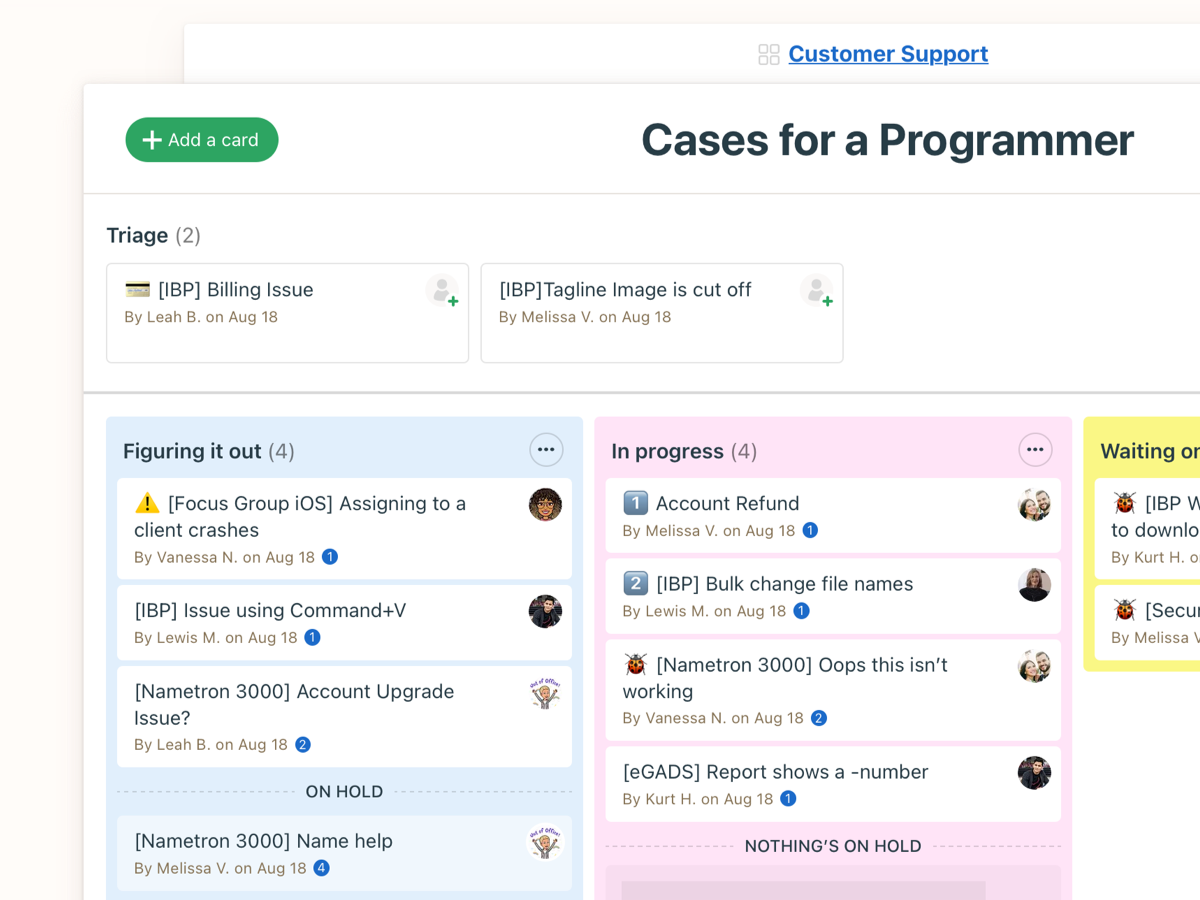
Basecamp focuses on simplicity and reduces feature overload.
Key Benefits:
- Message boards
- To-do lists
- Team schedules
Best for: Teams overwhelmed by complex collaboration tools.
10. Monday.com – Visual Workflow Collaboration Tool
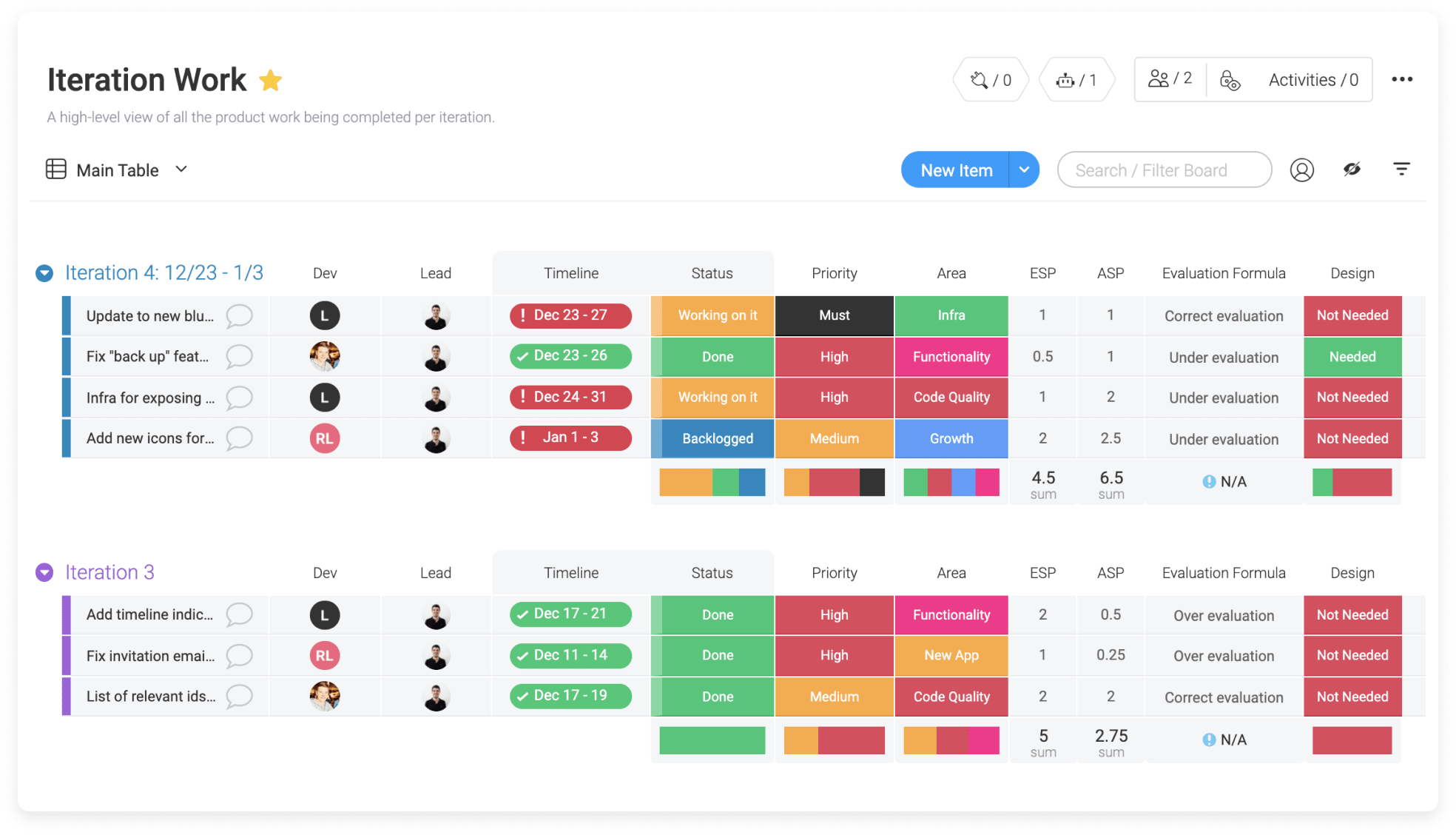
Monday.com offers visually appealing boards with automation features.
Key Benefits:
- Custom boards
- Automation
- Time tracking
Best for: Teams that value visual project tracking.
11. Miro – Visual Brainstorming Collaboration Tool

If brainstorming on a physical whiteboard feels like a thing of the past, Miro brings that magic back — but with superpowers. From mind maps to agile workflows, this infinite digital canvas makes collaboration feel limitless.
Key Features:
- Infinite canvas for diagrams, mind maps, and workflows.
- Pre-made templates to speed up brainstorming.
- Real-time collaboration with sticky notes and drawing tools.
- Best For: Creative teams who want visual brainstorming without the mess of dry-erase markers.
12. Google Workspace – Cloud Productivity Collaboration Tool

Google Workspace is like that reliable friend who always shows up on time. Docs, Sheets, Meet, and Drive all work together to keep your projects moving and your files always in reach.
Key Features:
- Cloud-based file storage with Google Drive.
- Real-time document editing in Docs and Sheets.
- Integrated video meetings with Google Meet.
Best For: Teams who need an all-in-one office suite that’s always synced and accessible.
13. Loom – Async Video Collaboration Tool
Loom replaces long written explanations with short videos.
Key Benefits:
- Screen recording
- Instant sharing
- Engagement tracking
Best for: Async communication.
Link: loom.com
14. Airtable - – Data-Centric Collaboration Tool
Imagine a spreadsheet that went to design school — that’s Airtable. It blends the simplicity of a table with the power of a database, making project tracking beautiful and functional.
Key Features:
- Multiple views (grid, calendar, kanban, gallery).
- Rich fields for attachments, links, and dropdowns.
- Powerful integrations with tools you already use.
Best For: Teams who love spreadsheets but crave better design and flexibility.
Link: airtable.com
15. GitHub – Developer Collaboration Tool
For developers, GitHub is the remote office. From code hosting to version control and team collaboration, it’s the backbone of modern software development.
Key Features:
- Git-based version control.
- Pull requests for collaborative coding.
- Project boards for issue tracking.
Best For: Development teams working across different locations.
Link: github.com
16. Zapier – Automation Collaboration Tool
Why waste time on repetitive tasks when you can automate them? Zapier connects your favorite apps so they work together while you focus on bigger things.
Key Features:
- 5,000+ app integrations.
- Multi-step automated workflows (“Zaps”).
- No-code setup for easy automation.
Best For: Teams who want to eliminate manual work and boost efficiency.
Link: zapier.com
17. Figma – Design Collaboration Tool
Designing remotely? Figma has your back. It’s a collaborative design platform where everyone — from designers to stakeholders — can create, comment, and iterate in real time.
Key Features:
- Cloud-based design and prototyping.
- Real-time collaboration.
- Commenting for instant feedback.
Best For: Design teams looking for seamless remote collaboration.
Link: figma.com
18. Time Doctor – Productivity Collaboration Tool
Want to keep projects on track and teams accountable? Time Doctor offers time tracking with productivity insights so you can see where work hours are going.
Key Features:
- Detailed time tracking and reports.
- Optional screenshots for accountability.
- Integrations with project management tools.
Best For: Teams that need to balance productivity with transparency.
Link: timedoctor.com
19. Dropbox – File Sharing Collaboration Tool
Dropbox keeps your files safe, synced, and easy to share — even with people outside your organization. It’s cloud storage without the headaches.
Key Features:
- File syncing across devices.
- Smart content suggestions.
- Easy file sharing with permissions control.
Best For: Teams that need secure, accessible cloud storage.
Link: dropbox.com
20. Hubstaff – Workforce Collaboration Tool
If your remote team needs a blend of time tracking, productivity measurement, and GPS tracking (for field teams), Hubstaff is the all-in-one solution.
Key Features:
- Time tracking with activity levels.
- GPS location tracking for mobile teams.
- Payroll and invoicing features.
Best For: Remote and hybrid teams who need both productivity data and location tracking.
Link: hubstaff.com
Remote work management in 2026 isn’t just about tools; it’s about finding the right tools that make work exciting, collaborative, and productive. Whether you’re vibing with Tixio’s all-in-one magic or exploring another tool on this list, there’s something here for every team. Let’s make remote work awesome together!
.png)


One app for everything!