There's a certain irony in how most "best tools" articles are written. They list everything, rank nothing meaningfully, and leave you more confused than when you started. This one takes a different approach. Rather than cataloguing every platform that's ever been marketed as a collaboration tool, this article focuses on what remote teams actually need - and which categories of tools address those needs well.
The context matters: remote teams don't just need tools that work. They need tools designed around the specific constraints of distributed work - asynchronous by default, searchable by design, and structured enough to prevent the information asymmetry that consistently kills productivity in remote organizations.
Why Remote Teams Have Different Requirements
Before getting into specific tools, it's worth understanding why remote teams have distinct needs - because this changes everything about how you evaluate options.
In a co-located environment, your office does a lot of invisible work. Physical presence signals availability. Overheard conversations spread context. Whiteboards capture ideas that everyone can see. Shared physical spaces create informal touchpoints that distribute information, build relationships, and surface blockers before they become crises.
Remove that environment and every single one of those functions needs to be deliberately replaced with a system.
Harvard Business School research on distributed work found that
Remote teams without strong collaboration systems consistently suffer from "information asymmetry" - a state where knowledge is unevenly distributed, some people have context others lack, and coordination costs multiply because people are constantly trying to fill in gaps rather than do actual work.
This means a remote team's collaboration stack needs to do something an office team's stack doesn't: it needs to function as the team's entire shared environment. Not just a place to send messages or track tasks, but a place where work is visible, knowledge is stored, decisions are logged, and new team members can get up to speed without having to ask ten different people the same questions.
With that context, here are the categories that matter most - and what to look for in each.
All-in-One Collaboration Workspaces
For most SMBs and remote startups, the most practical and cost-effective category is the all-in-one workspace - a single platform that handles task management, documentation, communication, and file organization without requiring you to stitch together four separate tools.
The appeal is obvious: less context-switching, lower software spend, and a single source of truth for your team's work. When your project tasks, meeting notes, SOPs, and team updates all live in one place, you eliminate the friction of jumping between apps and the information loss that happens every time work crosses a tool boundary.
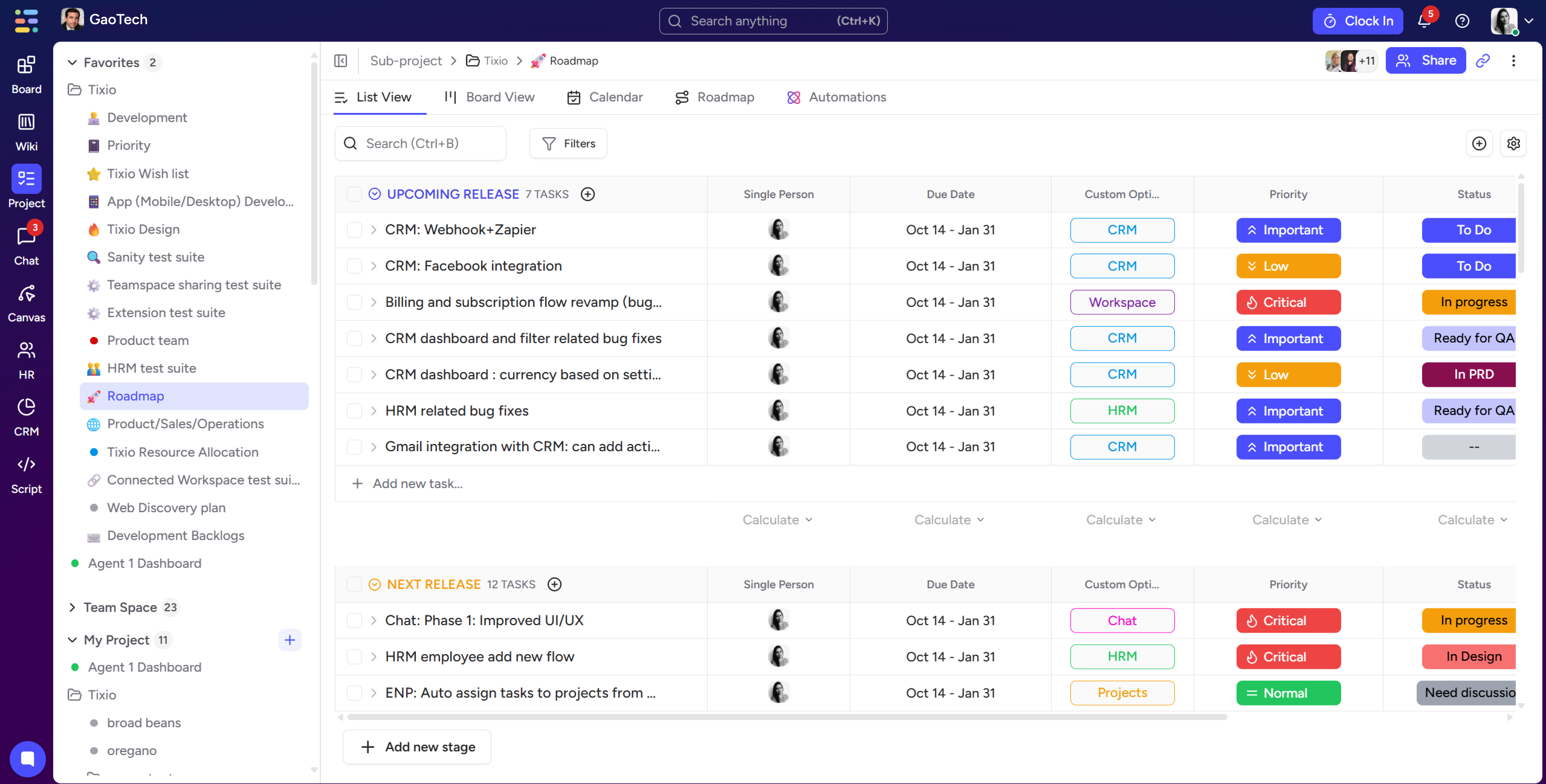
Tixio
Tixio is built specifically for this use case - a unified workspace where teams manage tasks, build knowledge bases, share links and resources, and collaborate without toggling between platforms. For growing remote teams that want structure without complexity, all-in-one platforms like Tixio are worth evaluating first before adding specialized tools.
Notion
Notion is the most widely adopted tool in this category, particularly popular with startups. It's extremely flexible - arguably too flexible for teams that need structure imposed rather than designed - but its database and documentation capabilities are genuinely powerful.
Basecamp
Basecamp takes a more opinionated approach, offering a deliberately simple set of features (message boards, to-dos, docs, and check-ins) that enforce async-first communication. It has been a remote-first product since its founding and reflects that philosophy deeply.
Project and Task Management
Even within an all-in-one workspace, some teams benefit from dedicated project management tooling - particularly when work is complex, involves many dependencies, or requires reporting for clients or stakeholders.
The best project management tools for remote teams share a few traits: they make ownership unambiguous (every task has one person responsible), they surface blockers proactively rather than waiting for someone to flag them, and they produce a view of the work that anyone on the team can interpret without a verbal walkthrough.
Linear
Linear has become the gold standard for product and engineering teams, particularly at fast-moving startups. Its speed, opinionated workflow structure, and clean design make it exceptionally well-suited to teams that ship software and need tight sprint management.
Asana
Asana is the most mature option for cross-functional teams - particularly SMBs with marketing, operations, client services, and product functions all needing to coordinate work. Its portfolio and goal-tracking features make it useful for leadership teams managing multiple streams simultaneously.
ClickUp
ClickUp attempts to be everything to everyone, and while that creates occasional complexity, it offers more customization per dollar than almost any competing product. Teams willing to invest setup time often find it powerful.
Communication and Messaging
Async messaging is the connective tissue of remote team collaboration. Email is too slow and too siloed. Real-time messaging done poorly creates the same always-on anxiety that kills deep work. The best tools in this category are organized around context - conversations are tied to projects, channels, or topics so that information stays findable and doesn't disappear into an undifferentiated stream.
Slack
Slack remains the dominant player, and for good reason. Its channel structure, search functionality, and integration ecosystem make it genuinely useful for teams that use it with discipline - meaning clear channel naming conventions, norms around response time expectations, and active avoidance of the "Slack as email" trap where everything becomes urgent.
Twist
Twist, built by the team at Doist, takes a more explicitly async approach. Conversations are organized in threads rather than channels, with no online/offline indicators - a deliberate design choice to reduce the pressure of real-time availability. For teams serious about async culture, it's worth a look.
The underrated move in 2026 is to reduce your reliance on chat tools generally, in favor of written, structured updates in your project management or documentation tool. Fewer Slack messages sent means more work done.
Documentation and Knowledge Management
Of all the collaboration categories, documentation is the one most consistently underinvested in - and the one with the highest compounding return. Every process your team documents reduces your dependency on individuals. Every decision log you maintain reduces the cost of organizational change. Every onboarding guide you write speeds up every future hire.
Buffer
Buffer's State of Remote Work report has consistently listed "lack of documentation" as one of the top three collaboration challenges for distributed teams. The teams that solve this problem - that develop a genuine culture of writing things down - operate with a structural advantage over teams that don't.
Notion and Confluence
Notion and Confluence are the most widely used dedicated knowledge management tools. Notion wins on speed and flexibility; Confluence wins on enterprise integrations and search at scale. For most SMBs, Notion is the better starting point.
GitLab's approach - an entirely public company handbook covering every process, decision framework, and norm in the organization - remains the benchmark for documentation culture, and their handbook is freely available to read for teams looking for inspiration on structure and depth.
Video and Async Video
Synchronous video calls are not going away, and Zoom or Google Meet will handle the majority of your real-time meeting needs adequately. The more interesting innovation in this category is async video - short video updates that replace meetings for use cases where text alone loses too much nuance.
Loom is the clear leader here. It lets anyone record their screen and face simultaneously, share a link, and enable viewers to watch on their own time and leave timestamped comments. For product teams giving feedback on designs, executives sharing strategic context, or managers doing performance check-ins, Loom dramatically reduces the need for scheduled calls while maintaining the warmth and clarity of a face-to-face communication.
How to Build Your Stack Without Building a Monster
The temptation when evaluating all these categories is to pick the best-in-class tool for every function and assemble a comprehensive stack. Resist this.
Gartner research found that
The average knowledge worker switches between 9.4 applications per day, and the cognitive cost of that context-switching consumes an estimated 40% of productive time.
The goal is the minimum viable stack that covers all five collaboration functions: communication, task visibility, documentation, file sharing, and feedback loops. For most SMBs and remote-first startups, this means two to three tools maximum - an all-in-one workspace that handles the bulk of the work, a dedicated communication tool if needed, and a video solution.
Every tool you add after that should clear a high bar: it needs to save more time than it costs in context-switching, training, and integration maintenance.
The Evaluation Checklist Remote Teams Should Actually Use
When trialing any collaboration tool for remote team use, these are the questions that matter more than any feature comparison:
Does it default to asynchronous, or does it assume real-time availability? Can a new team member understand the state of a project without asking anyone? Is everything searchable - past decisions, old files, completed tasks? Does it work well on mobile, given that remote workers increasingly work across devices? What happens to your data if you cancel? And perhaps most importantly: will your actual team use it consistently, or will adoption collapse after two weeks?
The last question is often the most revealing. The best collaboration tool for a remote team is not the most feature-rich one. It's the one your team will genuinely build their work around.
Final Thought
Remote teams in 2026 have access to better collaboration infrastructure than any generation of distributed workers before them. The constraint is no longer the technology - it's the discipline and intentionality to choose the right tools, set them up with clear norms, and resist the temptation to add more when the real problem is that the tools you have aren't being used well.
Start with the fundamentals. Cover all five collaboration functions. Choose tools designed for async-first work. And build the documentation culture that compounds over time.
Tixio is an all-in-one team collaboration workspace built for remote-first startups and SMBs. One workspace for your tasks, docs, and team resources - so your stack stays clean and your team stays aligned.
.jpg)
.jpg)
.jpg)



One app for everything!