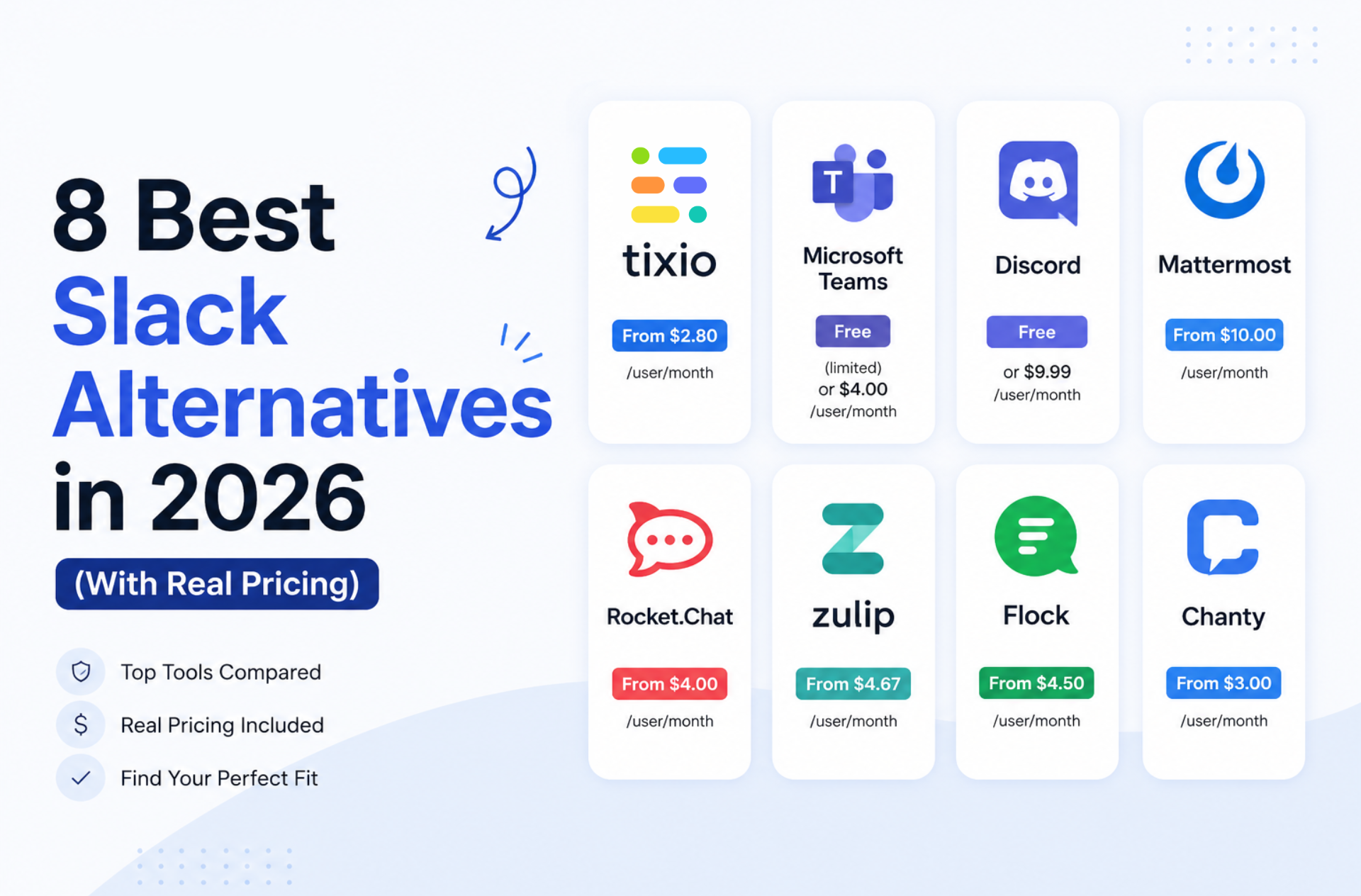
The best Slack alternatives in 2026 are Tixio if you want chat bundled with wiki and projects, Microsoft Teams and Google Chat if you already pay for the suite, Twist for async-first teams, Pumble for the lowest per-seat price, Zulip for threaded technical discussion, Mattermost for self-hosted control, and Discord for communities. Pricing was checked in August 2026.
Why teams leave Slack
It usually starts with the bill, but the real reason is context. Slack Pro is $7.25 per active user/month billed annually and Business+ jumped to $15, so a 50-person team on Business+ pays around $9,000 a year for a chat app. And your actual decisions still end up buried in channels while the docs and tasks they belong to live somewhere else entirely.
Quick comparison
- Tixio: a workspace chat and meeting along with full office suit, from $2.80 per user/month
- Microsoft Teams: chat inside Microsoft 365, Essentials $4 per user/month
- Google Chat: chat inside Google Workspace, Business Starter $7 per user/month
- Twist: async, thread-first communication, free then $6 per user/month
- Pumble: cheapest straight Slack swap, free then $2.49 per seat/month
- Zulip: topic-threaded chat for technical teams, free then $6.67 per user/month
- Mattermost: self-hosted and open source, free edition, paid tiers quote-only
- Discord: communities and always-on voice, free
1. Tixio: best if you want more than just chat
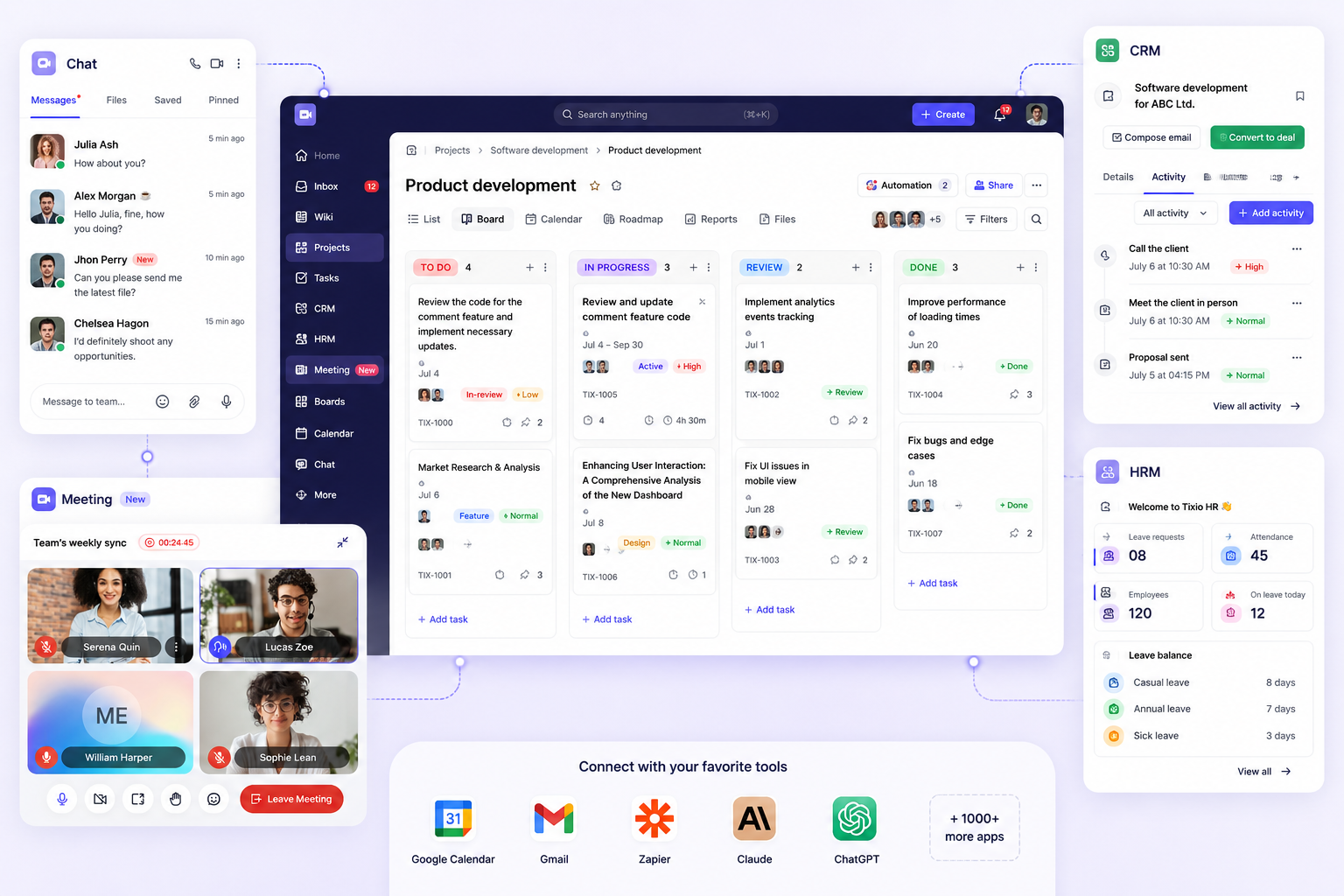
Tixio includes direct messages, group chats and meetings, but the point is what sits next to them: wiki, projects, boards, kanban, canvas and bookmarks, plus HR and CRM. A conversation, the document behind it and the task that came out of it live in one place.
- Best for: teams paying for Slack plus a wiki plus a project tool and wanting to save their pocket burning
- Pricing: Starter $2.80 and Team $6.30 per person/month billed yearly ($4 and $9 monthly). 14-day trial, no credit card
- Strength: everything interconnected, role-based access control and object-level security on the Team plan, so guests and contractors see only what they should. They have MCP that connects and work across all the features - so you don't need Make.com or N8N to create AI automations for it.
- Trade-off: it is not a like-for-like Slack replacement. The app integration library is still growing, and if you only need chat, a dedicated messenger will feel better
2. Microsoft Teams: best if you already pay Microsoft
If your organisation runs Microsoft 365, Teams is effectively already bought. Chat, meetings, calling, file storage in SharePoint and deep Office integration.
- Best for: organisations standardised on Microsoft 365
- Pricing: a free tier exists; Teams Essentials $4 per user/month paid yearly; Microsoft 365 Business Basic $7 per user/month
- Trade-off: heavier and slower than Slack, and file and channel structure confuses people for months
3. Google Chat: best if you already pay Google
Google Chat comes with Workspace, with Spaces for topic-based collaboration and direct links into Docs, Drive and Meet.
- Best for: teams already on Google Workspace who want to stop paying twice
- Pricing: included with Workspace. Business Starter $7 and Business Standard $14 per user/month
- Trade-off: fewer integrations and a thinner app ecosystem than Slack, and it has never been Google’s priority product
4. Twist: best for async-first teams
Twist is built by Doist around the belief that instant messaging harms deep work. Everything is a thread with a subject, nothing demands an answer right now, and history is searchable by default.
- Best for: distributed teams across time zones who want to stop being always-on
- Pricing: free plan with one month of history; Unlimited $6 per user/month
- Trade-off: no real-time culture and no built-in video calls, which some teams find too quiet
5. Pumble: best cheapest Slack swap
Pumble is the closest low-cost clone: channels, threads, DMs, search, video calls and screen sharing, with a familiar layout that needs no retraining.
- Best for: teams who like Slack and simply refuse to pay Slack prices
- Pricing: free plan with unlimited users and message history; Pro $2.49 and Business $3.99 per seat/month billed annually
- Trade-off: a much smaller integration marketplace, and it does chat only
6. Zulip: best threading model
Zulip organises every message under a topic inside a channel, so you can catch up on one subject without reading everything. Technical and open-source communities favour it for exactly this reason.
- Best for: engineering teams and communities with high message volume
- Pricing: free cloud plan; Standard $6.67 per user/month billed annually ($8 monthly); self-hosting is free and open source
- Trade-off: the topic discipline takes real getting used to, and the interface is plain
7. Mattermost: best for self-hosted control
Mattermost is open source and runs on your own infrastructure, which is why defence, government and regulated industries use it. Channels, playbooks and integrations, entirely under your control.
- Best for: organisations that cannot put internal communication in someone else’s cloud
- Pricing: a free self-hosted edition is available. Mattermost no longer publishes per-seat prices for paid tiers, which are quote-only
- Trade-off: you own the hosting, upgrades and security, and the lack of published pricing slows procurement
8. Discord: best for communities
Discord is free, with persistent voice channels people can drop into, strong bot support and a culture built around communities rather than companies.
- Best for: open communities, user groups and small informal teams
- Pricing: free. Optional Nitro subscriptions are personal perks, not business seats
- Trade-off: no business administration, weak compliance and archiving, and the consumer feel is wrong for most companies
Where Tixio is not the right choice
- Chat-only requirements. If you genuinely just need a messenger, Pumble or Zulip do it better and cheaper
- Self-hosting or air-gapped deployment. Mattermost is the category answer; Tixio is cloud-only
- Enterprise compliance. SSO/SAML, audit logs and advanced access control sit on the Enterprise tier
- Voice-heavy or always-on audio culture. Discord and Teams handle persistent voice far better
- Huge integration estates. Slack still has the deepest app directory of anything here
How to choose
Work out what you are really replacing. If it is Slack plus a wiki plus a project tool, consolidate into Tixio. If you already pay Microsoft or Google, use what you own. If you want the same experience for less, use Pumble. If you want fewer interruptions, use Twist. If the data cannot leave your building, use Mattermost.
Prices were taken from each vendor’s own pricing page in August 2026 and are in USD. Vendors change pricing often, so confirm before you buy.








