Work management software is the category covering how teams plan, track and communicate about work: project trackers, wikis, chat tools, CRMs and the workspaces that combine them. This page is the index. Every tool below links to a full comparison of what it does well, where it breaks, and what to move to when it stops fitting.
One thing worth saying before the list. Most teams do not have a tool problem, they have a tool count problem. The average small company runs five or six of these at once, and the cost that hurts is not any single subscription, it is the context lost every time work crosses from one to another.
Project and task management
- Jira alternatives - for when configuration debt and non-engineer adoption have become the problem
- Asana alternatives - for per seat costs and partial adoption
- Trello alternatives - for when boards cannot report and dependencies do not exist
- ClickUp alternatives - for when the feature depth became the problem
- Wrike alternatives - for when the learning curve stalled adoption
- Basecamp alternatives - for when you hit one of its deliberate limits
- Smartsheet alternatives - for when the work stopped fitting in rows
Documents, wikis and knowledge
- Notion alternatives - for performance, structure and the sprawl problem
- Confluence alternatives - for when search stopped finding things
- Coda alternatives - for key person risk in a clever document
- Evernote alternatives - for pricing changes and device limits
- Team wiki software - the wider category comparison
Chat and communication
- Slack alternatives - for cost and message history limits
- Microsoft Teams alternatives - for performance, structure and search
- Google Workspace alternatives - for the whole suite, not just chat
Data, boards and CRM
- Airtable alternatives - for record limits and per seat pricing
- Miro alternatives - for per seat costs on a tool with occasional users
- HubSpot alternatives - for when the bill outgrew the pipeline
- Bookmark managers - for shared links that keep getting lost
The pattern across all of them
Write eighteen of these comparisons and the same four reasons appear regardless of category.
- Price escalation. The entry tier is friendly, the tier with the features you evaluated is not, and per seat pricing compounds with headcount
- Partial adoption. Half the team never opens it, so the tool becomes a reporting layer maintained by one person rather than a shared source of truth
- Configuration debt. Anything flexible enough to model your process is flexible enough to become unmaintainable after three years
- Context loss at the boundaries. Work crosses from chat to tracker to doc to drive, and something falls out at each crossing
Only the fourth one is unfixable by switching vendors. If work is spread across five tools, replacing one of them with a better version of itself leaves the boundaries exactly where they were.
What these tools actually cost in 2026
Prices below are per user per month on annual billing unless stated, checked in September 2026. They are the headline entry price, not the price you will pay once you add the tier with the feature you evaluated.
- Project and task management: ClickUp $7, monday.com $9 with a 3 seat minimum, Smartsheet $9 with no free plan for new signups, Wrike $10, Linear $10, Teamwork $9.99, Asana $10.99, Trello $5, Jira $7.91 monthly, Basecamp flat $25 to $299 a month regardless of headcount.
- Documents, wikis and knowledge: Nuclino $6, Notion $10, Slite $10 with no free plan, Confluence $5.42, Outline flat $10 a month for up to 10 people, GitBook $65 per published site plus $12 a seat.
- Chat and communication: Slack $7.25, Zulip $6.67, Google Workspace $7 with Chat included, Microsoft 365 Business Basic $7, Zoom Workplace $14.16, Mattermost quote only.
- Data, boards and CRM: Airtable $20, Baserow $10 or free self hosted, NocoDB $12 per editor, SmartSuite $15 with a 3 seat minimum, Miro $8, Mural $9.99, FigJam $3 on a Collab seat, Pipedrive $14, Zoho CRM $14, HubSpot Sales $7 at Starter and $90 at Professional plus a $1,500 onboarding fee, Attio $35, Close $35.
- For reference: Tixio is $2.80 at Starter and $6.30 on Team, billed annually, covering docs, chat, tasks and bookmarks in one workspace.
Two numbers do most of the damage in a real budget. The first is the jump between the entry tier and the tier that has the feature you actually evaluated, HubSpot at $7 to $90 being the extreme case. The second is seat minimums, which mean a four person team on monday.com or SmartSuite pays for five.
How to run a tool evaluation without wasting a month
- Write down the specific thing you could not do last month. Not a feature list, an incident. If you cannot name one, you do not have a problem worth a migration
- Check adoption before capability. If under seventy percent of the team logged in last week, a more capable tool makes that worse
- Price your shortlist at year three headcount, not today's. Escalation is the most common reason people are reading these pages at all
- Check the export before you import. A tool you cannot leave is a worse trap than the one you are in
- Trial with one real project, not a sandbox. Sandboxes make every tool look good
- Migrate the current quarter and archive the rest. Full history migrations are where these projects die
Where Tixio sits
Tixio appears in every comparison on this page, so it is worth being direct about the position rather than making you infer it. Tixio is not the best dedicated tool in any single one of these categories. Linear is a better issue tracker, Raindrop is a better bookmark manager, Miro is a better whiteboard, and we say so on each of those pages.
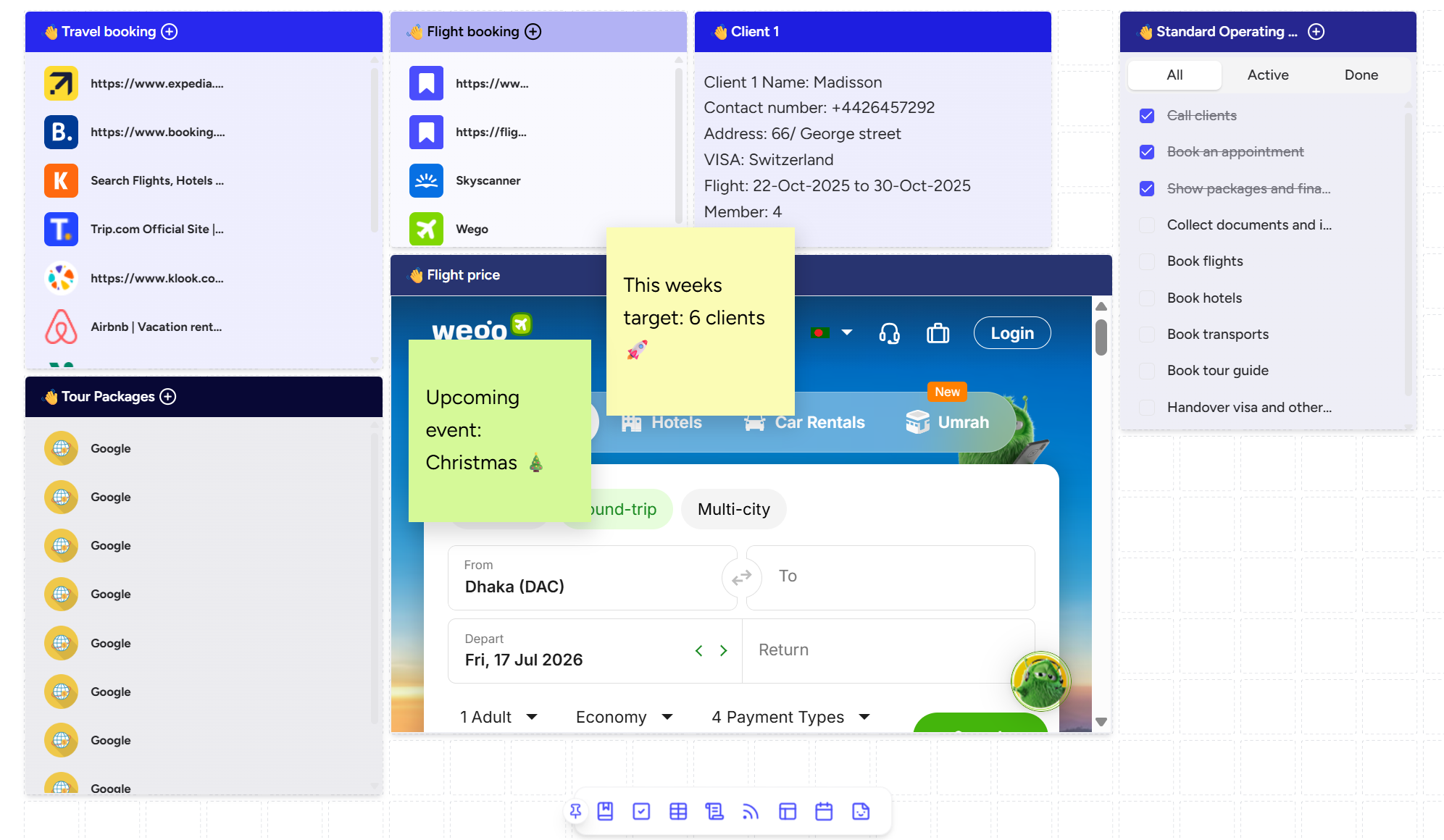
What it does is cover projects, chat, docs, CRM and shared links in one workspace, which addresses the fourth problem on the list above: the context lost at the boundaries between tools. If your honest diagnosis is that you need a better project tracker, buy a better project tracker. If it is that work keeps falling between five of them, that is a different purchase.
The short version
Name the incident before you shop. Check adoption before capability. Price at year three. Verify the export. And be honest about whether you need a better tool or fewer of them, because those two conclusions lead to completely different shortlists.








