Why You're Even Comparing These Two
You've been on Notion for a while. Maybe since the early days when it felt like a revelation — one tool for notes, docs, databases, and project tracking. Your team adopted it enthusiastically. You built a beautiful wiki. You set up a project tracker with custom properties. Someone built a CRM template that worked well enough.
Then your team grew. The wiki got messy. The project tracker required constant manual updates. The CRM template broke when someone changed a formula. New hires spent their first week asking where things were. And at some point, someone asked why you're still running Slack alongside Notion, and a separate HR tool, and a separate CRM, and whether there's a better way.
That's how most teams end up comparing Tixio and Notion. Not because Notion failed dramatically, but because it succeeded at one thing - beautiful, flexible documentation - while quietly not solving the operational problems that grow with your team.
This article breaks down the real difference between the two in 2026. Not the marketing. The actual experience of running a team on each of them.
What Notion Actually Does
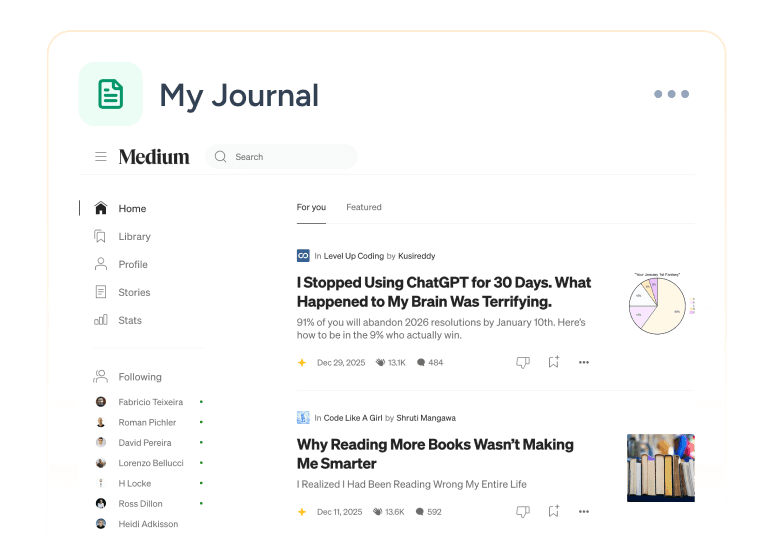
Notion is a document and database platform. That is its core, and it does that core exceptionally well. Pages, nested documents, rich text editing, databases with multiple views, linked databases, templates, and a genuinely powerful way to organise and connect information.
Over the years Notion has added projects, wikis, calendars, and an AI layer. It has become more capable as a workspace tool. But its DNA is still a document tool, and that shows in the places where teams need it to be an operational system rather than a knowledge repository.
Notion is beautiful. It is flexible to the point where a dedicated power user can build almost anything inside it. It is also the kind of tool where the quality of your workspace depends almost entirely on how much time someone has invested in setting it up and maintaining it. A well-maintained Notion workspace is impressive. A Notion workspace six months after the person who built it left the company is a different experience entirely.
What Tixio Actually Does
Tixio is a modular Work OS. It covers the full operational surface of a team, projects, wiki, chat, CRM, HR, canvas, and shared team boards, in one connected workspace where every module knows about every other.
The key difference in philosophy is this: Notion gives you building blocks and trusts you to assemble them into a system. Tixio gives you a system and lets you configure which parts of it your team needs. One approach rewards investment and expertise. The other rewards teams that want to get operational fast and stay operational without a dedicated workspace administrator.
Tixio was built and is used daily by its own team. Every feature has been tested against the reality of a fast-moving product and operations team. That is not a marketing line, it is the reason the product solves real coordination problems rather than theoretical ones.
Feature by Feature: The Real Comparison
Documentation and Wiki
This is Notion's home territory and it deserves credit. Notion's page editor is excellent. The ability to nest pages, embed databases, use rich media, and create linked references gives individuals and teams a genuinely powerful way to build and maintain documentation. For teams whose primary need is a beautiful, flexible knowledge base, Notion is hard to beat on this specific dimension.
Tixio's Wiki module is purpose-built for team knowledge management. It is structured, searchable, and connected to the rest of the workspace. Docs link to the projects they belong to. Wiki pages connect to the tasks that execute on them. The knowledge base is not a separate space that requires a separate visit — it lives inside the same workspace as your team's daily work.
Where Notion's wiki starts to break down is maintenance. Because Notion's flexibility means everyone builds pages differently, wikis tend to become inconsistent over time. Navigation gets complex. Finding information requires knowing where someone decided to put it. Tixio's structure is more opinionated, which means less flexibility for edge cases, but a more consistent, findable knowledge base for the whole team.
Winner for pure documentation flexibility: Notion. Winner for a knowledge base the whole team actually uses and maintains: Tixio.
Project Management
Notion added Projects as a dedicated feature and it is functional. You can track tasks with properties, switch between board and list views, assign owners and deadlines, and connect tasks to related docs. For a small team with straightforward project needs, Notion Projects works.
The limitations show at scale. Notion's project management is still built on top of a database system that was designed for flexible data organisation, not for the specific workflow of a project team. Sprint management, roadmap views, workload visibility across team members, and automation that triggers based on task status changes, these require significant database setup in Notion and feel like workarounds rather than native features.
Tixio's Projects module is built ground-up for team project management. Kanban, list, sprint, roadmap, and calendar views are all native. Tasks connect directly to the wiki docs and chat threads they belong to. Automations are set up in minutes rather than database formulas. Workload visibility across the team is built into the view. And because Projects is one module in a connected workspace, a task can reference a CRM record, a wiki SOP, or an HR onboarding checklist without a manual link.
Winner: Tixio for teams running real projects. Notion for teams with simple task tracking needs.
Team Chat and Communication
Notion has no team chat. This is one of the most significant gaps in Notion as a team operating system. Teams on Notion run Slack, Teams, or another communication tool alongside it. That means a second subscription, a second login, and the constant problem of conversations happening in one place while the work they relate to lives in another.
The result is the context fragmentation problem that most Notion teams know well. A decision gets made in Slack. Someone needs to remember to update the Notion page. Sometimes they do. Often they don't. The Notion page becomes a lagging indicator of what's actually happening rather than a real-time source of truth.
Tixio's Chat module is built into the workspace. Channels, direct messages, threads, file sharing, and voice notes all live in the same place as your projects, wiki, and CRM. When a conversation leads to a decision, that decision becomes a task or a wiki update immediately, not eventually, not when someone remembers. Channels can be linked to specific projects or clients. Threads stay attached to the work they belong to.
For teams currently running Notion plus Slack, replacing both with Tixio eliminates a subscription, eliminates a context switch, and creates the connection between conversation and work that the two-tool setup structurally cannot provide.
Winner: Tixio, by a significant margin.
CRM and Client Relationship Management
Notion has no native CRM. Teams build CRM systems inside Notion using databases, contact records, pipeline stages, deal properties, linked pages for notes, and it works well enough for a small team managing a handful of relationships manually.
The problems emerge as soon as the CRM needs to do more than store information. Automation, pipeline stage notifications, activity logging, email integration, and deal health tracking all require either significant Notion database engineering or a third-party integration. For a team that wants to manage client relationships seriously, a Notion database CRM is a workaround, not a solution.
Tixio's CRM module is a dedicated relationship management system. Contact records, pipeline stages, deal history, activity logging, and task linking are all native features. And because the CRM lives in the same workspace as Projects, Wiki, and Chat, the context that matters, the proposal in the wiki, the onboarding project for a new client, the support thread in Chat, is all connected to the client record. No tab switching. No manual linking. No database formula that breaks when someone adds a new column.
Winner: Tixio.
HR and People Operations
Notion has no HR module. Teams that manage HR on Notion build employee directories in databases, track leave in spreadsheets that live inside Notion pages, and store contracts in nested folders. It is a workaround that gets more complicated with every new hire.
Tixio's HR module handles attendance tracking, leave management, contracts, onboarding workflows, and people records natively. It is built for teams that want to manage their workforce without buying a separate HR platform. Onboarding is a structured checklist assigned automatically. Leave requests are submitted, approved, and recorded in one workflow. Contracts are stored in the system with version history. For a growing team managing HR on a patchwork of Notion databases and Google Sheets, Tixio's HR module alone often justifies the switch.
Winner: Tixio, clearly.
Whiteboard and Visual Collaboration
Notion has no whiteboard. Teams that need visual collaboration for brainstorming, wireframing, or diagramming run Miro, FigJam, or another dedicated whiteboard tool alongside Notion. That is a third subscription, a third login, and a third place where work-in-progress lives away from the rest of the team's context.
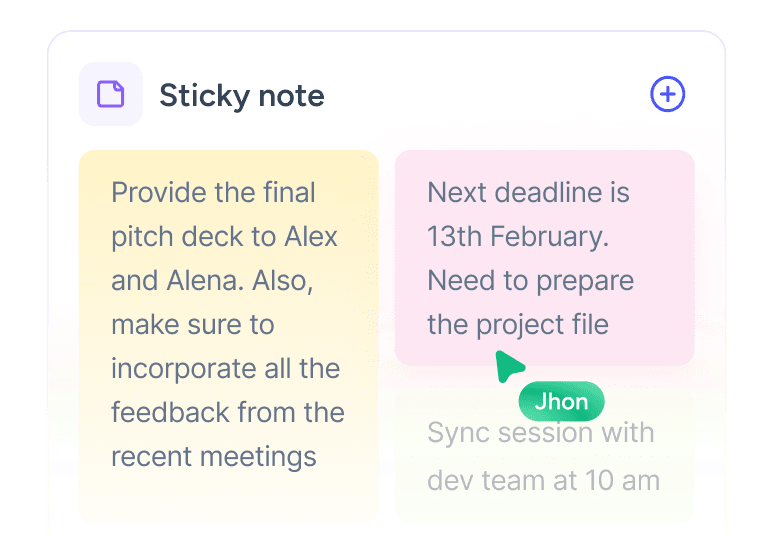
Tixio's Canvas module is a full infinite whiteboard built for real visual collaboration, brainstorming, wireframing, user flow diagrams, and team ideation. It lives in the same workspace as the brief it belongs to and the project it feeds into. When a concept from a canvas session becomes a task, it becomes a task inside the same workspace. No export, no screenshot, no "where did we put that FigJam?"
Winner: Tixio.
Automation
Notion has basic automation, property changes can trigger notifications and status updates in limited ways. For most real automation needs, teams use Zapier or Make to connect Notion to other tools. That adds cost, adds complexity, and adds a dependency on an integration that can break when either tool updates.
Tixio's automation is built in. Task status changes trigger notifications. Onboarding checklists assign automatically when a new hire is added. Deal stage changes in the CRM trigger follow-up tasks. Leave approvals update attendance records without manual intervention. None of this requires a third-party integration because all the modules live in the same system.
Winner: Tixio.
Ease of Use and Onboarding
Notion has a learning curve that its most enthusiastic users have normalised. For a power user who has spent months building and maintaining a Notion workspace, it feels intuitive. For a new team member joining a Notion workspace they didn't build, the experience is often disorienting. Where are the projects? How is the wiki structured? Which database is the current one for client contacts? The answers to these questions depend entirely on how the workspace was built and documented by whoever came before.
Tixio is designed to be operational within a day. The structure is consistent, every workspace has the same modules, the same navigation, the same relationship between projects, wiki, chat, and CRM. New team members know where things are because the system is structured rather than assembled. Free onboarding is included on every plan. Most teams are fully productive within 48 hours.
Winner: Tixio for teams that need fast, consistent onboarding. Notion for power users who want maximum flexibility in how they build their workspace.
Pricing: The Honest Comparison in 2026
Notion's pricing in 2026 sits at $10 to $18 per user per month for the plans where teams get meaningful collaboration features. The free plan has page limits and lacks the collaboration and admin features that growing teams need. The Plus plan at $10 per user per month is where most small teams land. The Business plan at $18 per user per month is where larger teams end up when they need advanced permissions, audit logs, and SAML SSO.
For a 15-person team on Notion's Plus plan, that is $150 per month - for a documentation and project tool. That same team still needs Slack for communication, a separate CRM, and a separate HR platform. Add those up and you are looking at $400 to $600 per month minimum for a stack that Notion anchors but does not complete.
Tixio starts at $2.80 per person per month with all modules included. The same 15-person team pays $42 per month, for chat, projects, wiki, CRM, HR, canvas, and shared team boards. No additional tools required. No integration overhead. Free onboarding included.
The annual difference for a 15-person team is between $1,300 and $1,900 in Notion subscription costs alone, before the additional tools Notion requires to be a complete team workspace.
The Notion AI Factor
Notion has invested heavily in Notion AI, which is available as an add-on at $10 per user per month. It adds writing assistance, document summarisation, and Q&A across your workspace. For teams that have invested in building a rich Notion knowledge base, it is genuinely useful.
The add-on cost matters though. A 15-person team adding Notion AI to their Plus plan is now paying $300 per month for Notion alone - before Slack, before a CRM, before HR.
Where Notion Wins
Notion is the right tool for specific use cases. Personal knowledge management, where an individual wants maximum flexibility in how they organise their notes and documents. Teams whose primary need is a beautiful, customisable wiki and who have a dedicated person to build and maintain it. Organisations that are document-heavy and project-light, where the depth of Notion's database system genuinely matches the complexity of what they are tracking. Freelancers and solopreneurs who want one tool for everything they do individually rather than everything their team does together.
Where Tixio Wins
Tixio wins for teams. Any team that needs to coordinate, communicate, manage projects, maintain client relationships, and handle people operations, without assembling a stack of tools that each solve one problem and create gaps between them.
It wins on price at every team size. It wins on coordination because everything is connected rather than assembled. It wins on onboarding because new team members find a consistent system rather than a custom-built workspace that makes sense only to the person who built it. It wins on operational breadth because no other tool at this price point covers projects, wiki, chat, CRM, HR, and canvas in one place.
It wins specifically for teams who have been on Notion for a while, have a messy wiki, are still running Slack alongside it, and have been wondering whether there is a better way. There is.
Which One Is Right for Your Team?
Choose Tixio if you need a workspace that runs your entire team, projects, communication, documentation, client relationships, and people operationsm in one connected system without assembling and paying for separate tools for each. If you want fast onboarding, consistent structure, and a price that makes the decision easy, Tixio is built for you.
Choose Notion if your primary need is flexible, beautiful documentation and you have a dedicated person to build and maintain your workspace. If your team is small, your project management needs are simple, and you are genuinely satisfied running Slack and other tools alongside it, Notion works well for what it was designed to do.
The pattern with growing teams is consistent. They start on Notion because it is flexible and beautiful. They build a workspace they are proud of. And then they spend the next 18 months adding tools around it — a project tool here, a CRM there, a separate HR platform — until they realise they have recreated exactly the tool sprawl they were trying to escape, with Notion at the centre instead of solving it.
Tixio was built for the team that has reached that point and is ready for a workspace that runs the whole operation rather than just the documentation layer.
FAQs
Is Tixio a good alternative to Notion? Yes, especially for teams that need more than documentation. Tixio covers projects, team chat, CRM, HR, wiki, and canvas in one workspace — replacing Notion and the additional tools most teams run alongside it.
Does Notion have team chat? No. Notion has no native team chat. Most Notion teams run Slack or Microsoft Teams alongside it, which means a second subscription and the constant problem of conversations happening separately from the work they relate to. Tixio's Chat module replaces that need entirely.
Does Notion have a CRM? Not natively. Teams build CRM workarounds using Notion databases, which works for simple use cases but lacks automation, activity logging, and the integration with the rest of the team's workflow. Tixio has a dedicated CRM module connected to projects, chat, and wiki.
Does Notion have HR features? No. HR management in Notion requires database workarounds and separate tools. Tixio's HR module handles attendance, leave management, contracts, and onboarding natively.
Which is cheaper, Tixio or Notion? Tixio starts at $2.80 per person per month with all modules included. Notion's Plus plan starts at $10 per user per month for the collaboration features growing teams need — and still requires additional tools for chat, CRM, and HR. For most team sizes, Tixio costs significantly less in total.
Can Tixio replace Notion and Slack together? Yes. Tixio's Wiki replaces Notion's documentation layer and Tixio's Chat replaces Slack — both inside one workspace, both connected to your projects and CRM, at a fraction of the combined cost.
Who is Notion best suited for? Notion is best suited for individuals and small teams with strong documentation needs, a dedicated person to build and maintain the workspace, and simple enough project and communication requirements that the missing chat, CRM, and HR features are not a problem.
.png)